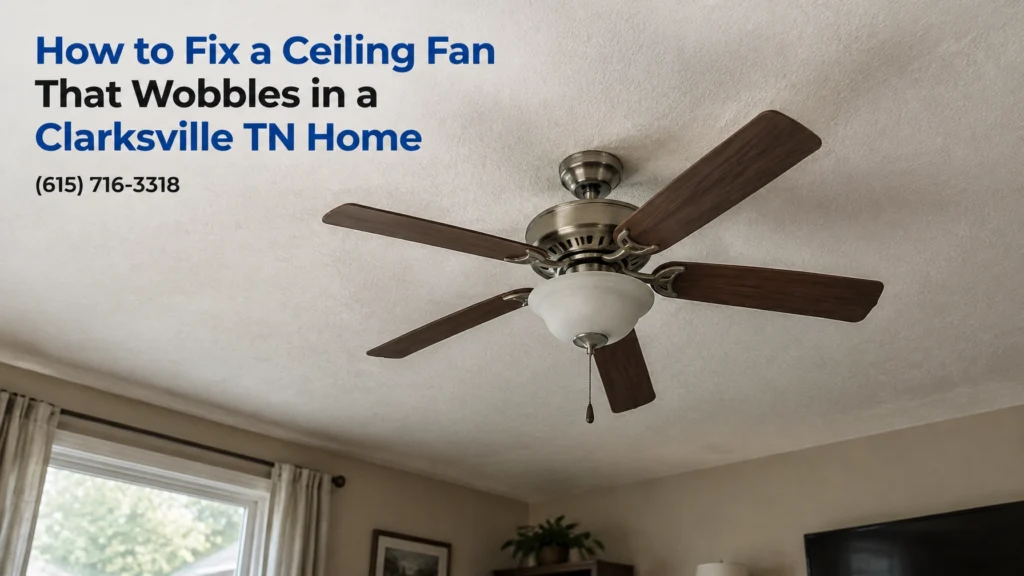
A wobbling ceiling fan can be distracting, especially when the blades seem to sway more each time you turn it on. The cause is often simple, like a loose blade screw or uneven blade alignment. But movement where the fan meets the ceiling needs more care.
Start with what you can safely see. You don’t need to take the fan apart to figure out whether it’s a small balance issue or a loose mount.
1. Stop the fan and check what’s moving
Turn the fan off and wait until the blades stop completely. Watch the fan again from a safe distance when it’s running only if the movement looks mild. Notice whether just the blades seem uneven, or whether the fan body, downrod, or canopy shifts too.
A little blade movement doesn’t always mean the fan is about to fall. A canopy that moves at the ceiling, a loud new knocking sound, or a fan that shakes hard is different. Turn it off and leave it off until the mount is checked.
Never reach toward moving blades. If you’ll touch any parts or open the canopy, switch off power at the breaker first. Don’t work from a chair or reach over a stairwell. If getting a safe view means leaning or stretching, leave the inspection for a pro.
A homeowner in Sango might notice the fan wobbling more at its highest speed, while the canopy stays still. That can point toward a blade balance issue, but it’s still worth checking the visible screws before trying a balancing kit.

2. Check the blade screws and visible fasteners
Loose screws are a common cause of fan wobble. With the fan off and the blades fully stopped, check the screws that attach each blade to its bracket. Tighten any that are loose, following the fan manual and taking care not to overtighten.
Look at all the blades, not just the one that appears to dip. A blade that sits lower than its neighbors may be loose, bent, or sitting differently in its bracket. Check the brackets for cracks or a bend, too. Don’t try to straighten a damaged part.
If you’re comfortable working from a stable ladder, the fan is off, and you can reach safely, these visible blade screws may be a reasonable DIY check. Stop if the fan shifts as you touch it, or if you find damaged parts.
Dust can build up unevenly on blades. Wipe each blade gently and evenly with a dry cloth, taking care not to pull or twist it. A layer of dust isn’t always the cause, but cleaning removes one possible source of imbalance.
3. Compare blade height and look for damage
Uneven blade height can make a fan wobble even when the screws feel snug. With the fan off, compare the blade tips from the floor. If one looks lower, check whether it’s seated differently or whether its bracket appears bent.
You can also compare blade tips one at a time against a fixed point on the ceiling. Rotate the fan by hand only when the power is off, and avoid pushing on the blades. If one tip consistently sits much higher or lower than the others, check the manual for the right adjustment or ask a pro to inspect it.
Look for a blade that’s warped, cracked, or visibly different from the rest. Don’t try to fix a cracked blade or swap in a blade from another fan. Use the correct replacement part for that model.
If several rooms in a Montgomery County home have seasonal sticking doors or other changes, the fall indoor humidity and dry air checks for Clarksville homes may help explain those separate symptoms. Humidity isn’t a substitute for checking the fan’s fasteners and mounting.

4. Try a fan balancing kit if the mount is steady
A balancing kit can help when the fan is securely mounted and the blades look intact. Many kits include a small clip and adhesive weights. Follow the directions for your fan model, since kit instructions can vary.
The basic process is to attach the clip to one blade while the fan is off, then run the fan briefly to see whether the wobble changes. Turn it off and let the blades stop before moving the clip to another blade. Keep the test clip and any weight where the manufacturer directs, and keep your hands and anything else well away from moving blades.
Once you find the blade and position that reduce the wobble, use the supplied weight as directed. Don’t add coins, tape, or other improvised weights. If the wobble gets worse, stop and remove the clip only after the fan has fully stopped.
Balancing won’t fix a loose bracket, damaged blade, or weak electrical box. If movement at the ceiling is part of the problem, don’t try to correct it with a blade weight.
5. Know when to get matched with a pro
A loose canopy or mounting bracket deserves attention before the fan is used again. The fan’s electrical box must be made to support a ceiling fan, not just a light fixture. Checking or replacing that support may mean opening the canopy or working with wiring, so it’s not a good place to guess.
Get matched with a pro if the ceiling box or bracket moves, you see exposed wiring, a part is cracked, or the fan still wobbles after basic checks. The same goes for fans mounted on a sloped ceiling or at a height you can’t reach safely.
In St. Bethlehem or near Fort Campbell, a fan that’s started rattling after years of quiet use may only need a basic adjustment, but the mount should be checked if the canopy shifts. Fix It Quick Network is a referral network, not a repair crew. The pros in our network are licensed and insured, and we can match you with a vetted local pro. For a wider pre-sale punch list, see the pre-listing repair checklist for Clarksville homes.
If you’d like a local pro to take a look, call or text (615) 716-3318 or request a free match. Share what moves, what you’ve already checked, and whether the fan is currently switched off.

6. Frequently asked questions
Is a small amount of ceiling fan wobble normal?
Some minor movement may happen, especially at higher speeds. A fan body or canopy that shifts, loud knocking, or strong shaking isn’t something to ignore.
Can dusty blades make a fan wobble?
Uneven dust may contribute to an imbalance. Clean the blades evenly, then see whether the fan still wobbles.
Should I tighten the fan’s mounting bracket myself?
Only check visible parts you can reach safely and understand. If the canopy or mount moves, leave the fan off and get matched with a pro.
Will a balancing kit fix every wobbly fan?
No. A kit may help with blade imbalance, but it won’t correct a loose electrical box, damaged blade, or unstable mount.
Should I keep using a fan that wobbles?
If it shakes hard, makes a new knocking sound, or moves at the ceiling, switch it off. Don’t use it again until the cause is checked.
Does Fix It Quick Network repair ceiling fans?
No. Fix It Quick Network matches homeowners with vetted local pros. The matched pro reviews the fan and handles the repair.