1. A surge is a split second event with a long tail
A surge is a brief jump above the normal 120 volts in a home circuit. It may last only a fraction of a second, but even small, repeated surges can wear down electronics quietly. The big surge gets attention. The little ones may not.
A brownout is different. It’s a drop in voltage, not a sudden rise. A clock that resets after the lights flicker and a router that stops working are two different failures, even if they happen during the same storm.
In Clarksville, storms and utility switching can both bring power changes. The first step isn’t shopping. It’s figuring out what kind of problem you’re trying to guard against.
2. The panel device and the plug in strip are not the same job
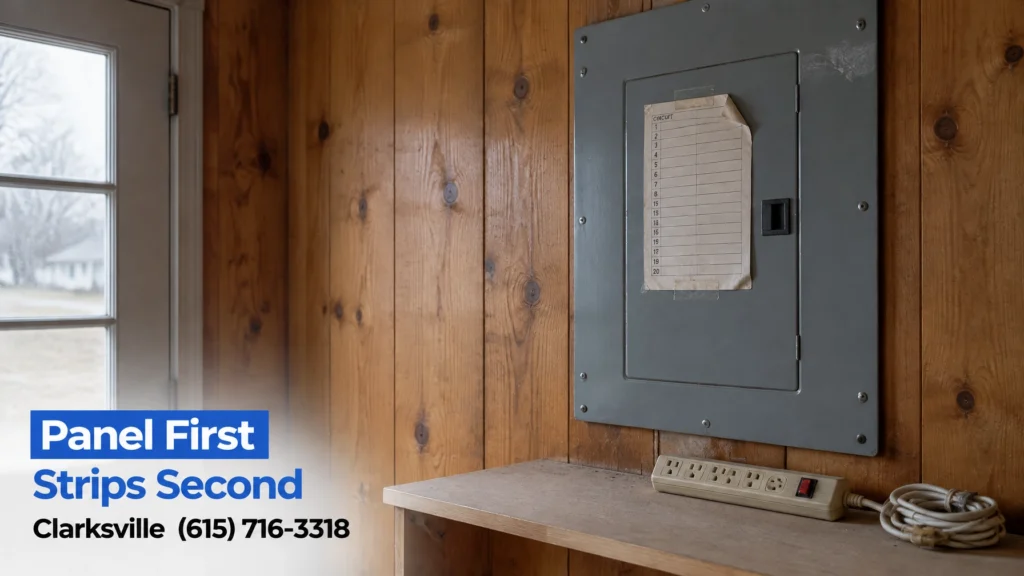
A panel mounted surge protection device is installed at the service panel. It helps limit surges entering the home’s electrical circuits, so it can protect circuits throughout the house at once.
A plug in surge strip protects equipment connected to that strip. It adds a layer close to devices such as a computer, television, or router. It does not protect the rest of the home.
Buying a strip for every outlet isn’t the same as protecting the house. The panel device and the strip do different jobs, and one layer doesn’t replace the other. Think of the panel device as the first line of defense and the strip as added protection for selected electronics.
Decide what you want protected before choosing either layer. That keeps a simple safety decision from turning into a pile of unnecessary purchases.
3. Where a surge actually gets in
A surge doesn’t have to come through the wall outlet in the room where damage shows up. It can travel in on the utility service drop, or arrive along cable and internet coax or a phone line. Separate wiring paths matter because an electrical panel device doesn’t automatically protect every incoming signal line.
Equipment with motors or outdoor wiring can also be affected. Think about the garage door opener circuit, the outdoor air conditioner condenser contactor, and, on rural properties in Montgomery County, a well pump. A fault or surge may show up as a problem with one of those devices even when the nearest outlet seems fine.
If a television connected to cable fails but nearby lamps still work, the coax path may be part of the picture. In Woodlawn or other rural areas, a well pump that suddenly stops deserves attention, too. Don’t assume one protection device covers every route into a home.
4. Joules is a wear number, not a muscle number
The joule rating describes how much surge energy a device can absorb over its working life before its protective parts wear out. It isn’t a simple measure of how strongly it blocks every surge. A high number on the package can’t tell you whether the strip is still protecting anything today.
A strip that has taken a hit may still light up and pass power while no longer protecting its outlets. The indicator light and the strip’s age are often the only clues a homeowner has. If the status light says protection is gone, replace it. A strip that has done its job once is often done.

5. Why a cheap strip is cheap
Clamping voltage is the level at which a protector starts responding to a surge. Let through voltage is what continues toward your device after that response. In plain terms, lower let through voltage generally means less of the spike gets past the protector.
Look for a UL 1449 listing mark rather than judging a strip by the biggest number on its package. The listing tells you it has been tested to a recognized safety standard. A very high joule rating on a small strip means little if its clamping performance is poor.
No strip is a promise against every event, including a direct lightning strike. A useful strip is one layer in a sensible plan, not a reason to ignore worn cords, overloaded outlets, or a panel that needs an electrician’s attention.
6. The panel device is a job, not a plug in
A panel mounted device is wired inside the service panel and typically needs a dedicated two pole breaker space. In most cases, this is a licensed electrician job. The Network does not do panel work. We can point a homeowner toward a licensed electrician.
The device itself is only part of the cost. A panel with no open spaces, a fuse box, or an older panel with a full bus can mean extra work before a device can be installed. That’s often the real cost driver, rather than the surge device alone.
If you’re in Sango and aren’t sure whether your panel has room, don’t remove its cover to check. A clear photo of the closed panel may help an electrician discuss next steps, but the electrician needs to confirm the panel’s condition and available space in person.
7. What equipment actually earns its own protection
Start with electronics that are costly, sensitive, or difficult to replace. A computer and router are good candidates for a quality strip. The main television and its connected equipment may be, too. Consider the garage door opener, HVAC control board, sump pump, and well pump as part of the protection conversation.
A refrigerator usually shouldn’t go on a strip. Check its manual, keep access to its plug, and remember it’s a compressor load. A strip meant for small electronics may not be right for it. The washer also has a motor and should be connected according to its manual and the electrical setup.
Homes near Fort Campbell can have a mix of older and newer equipment, so don’t assume every appliance needs the same device. Prioritize what would be expensive or disruptive to replace, then ask an electrician about equipment that connects directly to the home’s wiring.
8. The one plug rule at the strip
A strip is not a circuit. Don’t plug one strip into another, and don’t use a strip for a space heater, microwave, air fryer, or vacuum. Those appliances draw more power than a typical electronics strip is meant to handle. Use strips for electronics and small loads, and follow the product and appliance instructions.
A surge is a brief rise in voltage. An overload is too much current being drawn through a circuit. A surge strip may help with the first, but it won’t save a circuit from too many amps. If a breaker keeps tripping, reduce the load and read how to address a breaker that keeps tripping.
If an outlet stops working after a storm, it could be protected by a GFCI outlet elsewhere on the circuit. This guide to resetting a GFCI outlet can help you check that simple possibility safely.
9. The fire side of an old strip
Replace a strip if its cord is worn near the strain relief, its housing is cracked, or it won’t hold a plug snugly. A plug face that feels warm, or an outlet that looks dull tan or scorched, is a reason to stop using it and check the outlet.
One common warning sign is a power strip tucked behind a television cabinet. The plug face feels warmer than the rest of the strip, and one outlet has turned a dull tan color. That isn’t a cosmetic issue to watch for another month. Unplug it if it’s safe to do so and arrange for the outlet to be checked.
Don’t put a strip under a rug or behind a couch where it has no airflow. Don’t try to repair a damaged strip. Replace it. If the wall outlet is hot, discolored, or smells burnt, leave it unused and get qualified help.
10. After a storm, what to check and in what order
Start with the main breaker and individual breakers, using only their normal handles. Don’t remove the panel cover. Next, check accessible GFCI outlets and then note whether the garage door opener, HVAC unit, router, or appliances are acting differently. An appliance that hums but won’t start may need service. Don’t keep trying it.
A garage door opener that ran its light but wouldn’t lift the door the morning after a storm, alongside a refrigerator that clicked twice and never came back, points to different symptoms worth documenting. In an illustrative St. Bethlehem home, a garage door opener and microwave both failed in the same week after a storm. The quoted cost for a panel mounted device was lower than replacing those two appliances, though it couldn’t reverse damage already done.
For a broader checklist, see storm and power outage preparation for Clarksville homes. Unplug expensive electronics before the next storm, not after. Photograph visible damage and keep receipts in case you need to make an insurance claim.
11. What this costs
These are planning ranges, not quotes. Cost depends on panel type, available breaker space, brand of device, whether an electrician has to open the panel, and whether the coax and phone lines are included.
A panel mounted surge protection device installed, $200 to $600
A quality point of use strip, $20 to $60
A panel device on an older panel that needs work first, $350 to $900
Replacing a strip after it took a hit, $20 to $60
A replacement surge module for an existing panel device, $80 to $200
Repair to an HVAC control board after a surge, $300 to $800
The cheapest line item on the list, a decent strip on the electronics, is also the one most homes are missing.
12. When to get matched with a pro
Get help if there’s no open breaker space, you have a fuse box rather than breakers, or the panel has rust or water inside. A burning smell, scorched breaker, aluminum branch wiring, or a main breaker that tripped during a storm also calls for a qualified electrician.
Any work that means opening the panel cover belongs with an electrician. The pros in our network are licensed and insured. If you’re in Clarksville or elsewhere in Montgomery County and want the panel checked, we can match you with a vetted local pro.
The simplest next step is to unplug expensive electronics before the next storm and add one decent strip this week.
Want a free match for surge protection that fits your panel
If you’d like help finding the right next step, call or text (615) 716-3318, or request a free match. Fix It Quick Network is a referral network that matches homeowners with vetted local pros. Panel work goes to a licensed electrician. No pressure, just a practical way to get the panel and protection options checked.
FAQs About Whole Home Surge Protection in Clarksville TN
Does a whole home surge protector replace plug in strips?
No. A panel mounted device protects home electrical circuits, while a plug in strip adds protection for electronics connected directly to it. The two layers do different jobs.
How long does a panel surge protector last?
There isn’t one lifespan that fits every device or home. Surges wear down protective parts over time, so check the status indicator and follow the maker’s replacement guidance.
Can surge protection be added to an older panel?
Often, but the panel’s condition and available breaker space matter. A licensed electrician can check whether the panel can take a device or needs other work first.
What should not be plugged into a power strip?
Don’t plug in a space heater, microwave, air fryer, or vacuum. Avoid daisy chaining strips, and use a strip only for loads it’s designed to handle.
Does homeowners insurance cover surge damage?
It depends on the policy and the circumstances. A sudden event may be treated differently from wear over time, and photos and receipts can help support a claim. Coverage isn’t automatic.
Can a renter add surge protection?
A renter can usually use a suitable plug in strip for electronics, following its instructions and the lease. Panel work needs the owner’s permission and a licensed electrician.