1. Why cord chaos is worth fixing
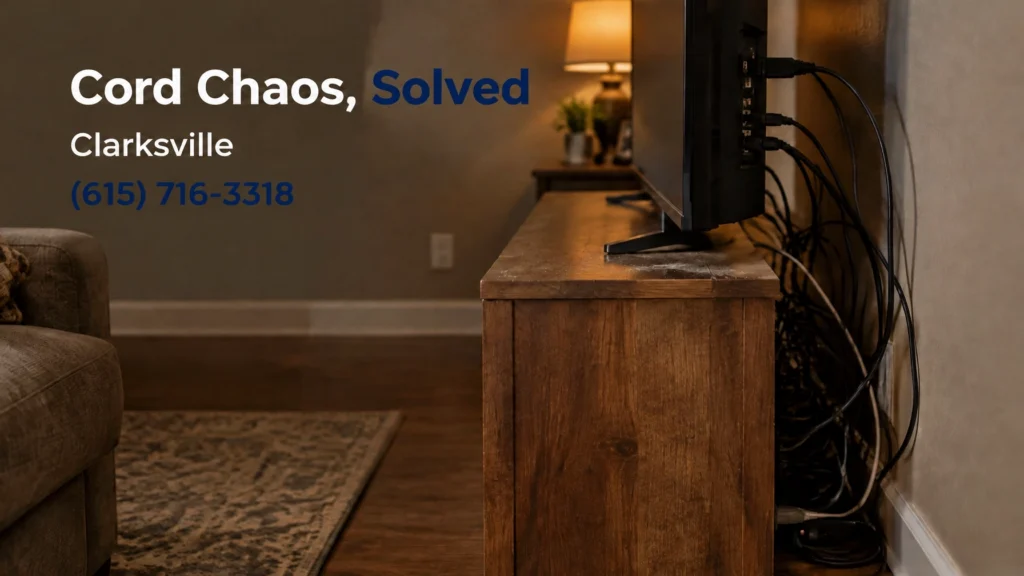
A tangle of cords is a small problem that can make a room feel busy. Dust gathers behind the TV stand, and reaching for a plug can turn into a frustrating search through a rat’s nest of cables. A little organization makes it easier to clean, find the right cord, and see what’s connected.
There’s a practical side, too. Cords stretched across a walkway can catch a foot, while overloaded or damaged power cords deserve attention. Keep cables in good shape and away from spots where furniture or foot traffic can pinch them.
A tidy wall doesn’t have to look fancy. It can simply mean fewer loose wires in view and a clearer path to the outlet. In a Clarksville living room, that small change can make the whole corner feel calmer. You don’t have to hide every cable to make a noticeable difference.
2. Signs your setup needs attention
You’ll usually notice the problem before you need a complicated fix. Look at the setup from where you sit, then check what’s happening behind and below the furniture.
Common signs include the following.
- Cords are visible from the couch and distract from the room.
- A power strip sits loose on the floor where it can collect dust or get kicked.
- The router is buried in a cabinet or tucked behind other gear.
- Cables snake along the baseboard, sag between furniture, or cross a walking path.
- Adhesive clips have popped off, leaving wires hanging against the wall.
A cable channel can help with a visible run, but first check that the cords aren’t pulled tight or pinched. If a plug feels hot, a cord’s jacket is split, or the power strip looks damaged, stop using that item and have it checked. A cable tidy shouldn’t cover up an electrical concern.
The simple takeaway is this. If cords are getting in the way, making dusting awkward, or feeling unsafe underfoot, it’s worth making a small plan.
3. Common Clarksville problems we see
Older homes don’t always have a convenient path for low voltage cables. In parts of Montgomery County, that can mean the internet connection and TV gear end up at opposite sides of the room, with visible wires bridging the gap.
Rentals bring a different concern. You may want a cleaner setup but not have permission to drill, paint, or make changes to the walls. Check your lease or ask the property manager before using anything that could leave marks.
Textured drywall can be tricky, too. Adhesive clips that hold on a smooth surface may pop loose from a rough wall, especially if the cord pulls downward. A St. Bethlehem renter once had a long bundle of cords hanging behind the living room TV in a rental, and the cable clips wouldn’t stay on the textured paint. Moving the furniture and bundling the slack helped tidy the area without changing the wall.
You don’t need a full room redo. Start with what the home and lease allow.
4. Easy wins you can do today
Start with the loose cords you can reach safely. You don’t need special gear or a big shopping list to make the setup feel more manageable.
Try these simple steps.
- Unplug devices one at a time and remove cords you no longer use.
- Gather extra length with reusable hook and loop ties, not tight knots.
- Route cords behind furniture where they won’t be stepped on or pinched.
- Label both ends of similar cables so you can identify them later.
- Place power strips where they stay accessible and have room around them.

Quick tip, take a photo before unplugging a group of devices. It can make reconnecting everything less of a guessing game. Keep the router’s vents clear and avoid wrapping its power cord tightly around the unit.
If you find a worn cord or a loose plug, don’t hide it behind the console. Deal with that concern first. A few ties and a better route are often enough to make the corner feel less cluttered.
5. Cable channels and raceways that look clean
A cable channel, sometimes called a raceway, gives cords a defined path along a wall or baseboard. It’s a practical option when you want a neater look without opening the wall.
Choose a channel wide enough for the cables you actually need to run. If you cram everything into a narrow cover, it can be hard to close, and adding another cord later becomes a hassle. Paintable channels may blend in better, but follow the product directions and make sure the wall surface is suitable.
Measure the route before buying anything. Think about corners, turns, and where the cables need to enter or leave the channel. Keep the path simple, and don’t run a channel where it could be kicked or snagged.
One important distinction, a surface cable cover doesn’t make every kind of cord safe to conceal. Keep ordinary power cords visible and accessible, and follow the cord and channel maker’s instructions. A tidy run should still leave you able to inspect the cables.
6. Cord concealment options for renters and rentals
Renters can still make a room feel more orderly. The best approach is usually the one that doesn’t leave a mark or surprise the property manager.
Start with furniture placement. A console positioned to hide the cable bundle can help, as long as cords aren’t trapped behind it or pressed tightly against the wall. Reusable ties can gather slack, and removable clips may work on some surfaces. Test any adhesive in an inconspicuous spot first, and check the lease before using it.

For a visible run, a low profile channel along the baseboard may look cleaner than loose cables. Some channels use adhesive, while others attach differently, so check the product details and your rental rules. If the wall texture is rough, adhesive may not hold well. Don’t rely on a weak clip to keep a cord safely out of the way.
Keep the goal modest. A tidy bundle and sensible furniture placement can be enough, and you can leave permanent changes for a time when the owner approves them.
7. Router and Wi Fi gear placement
A router works better when it has room around it. A closed cabinet, crowded shelf, or hall closet can limit airflow and make the signal less useful around the house.
Put the router in an open spot when practical, away from heat and items that block its vents. A Fort Campbell family once had a router blinking inside a hall closet, with coats and storage crowding the shelf. Moving it to an open area helped the gear breathe and gave the family a more sensible place to start checking their connection.

If the router is far from the devices that need a steady connection, moving it may help. A short Ethernet cable can also be useful for a nearby device, if the setup supports it. For more practical advice on improving a home connection, read the FCC’s broadband tips.
Don’t bury the router just to hide a light or a cable. Give it open air first, then tidy the cords around it.
8. When to get matched with a pro
Some cable jobs are straightforward, and others need more than a few ties. If you want cables fished through a wall, several rooms connected, or a new outlet location considered, get help from the right pro.
In wall cable routing can depend on what’s inside the wall and which cables are involved. A new outlet or full electrical work belongs with an electrician. Whole home wiring or other specialty work may call for a specialist, and we can point you in the right direction.
Heavy or complicated gear setups can also be a good reason to get help organizing the surrounding cables. The scope here is the cables and equipment, not how a TV is hung. If you’re looking for that separate topic, see our guide to TV mounting and wall anchoring.
A pro can review the layout and explain what the work involves before you decide. That way, you can keep the job focused and avoid guessing about changes inside the wall.
9. Related problems worth checking while you’re back there
Moving a console gives you a chance to notice other small issues nearby. Look for dust around the equipment, a wobbly TV stand, or a plug that’s loose or visibly worn. Don’t pull on a plug by its cord, and don’t try to fix damaged electrical parts by covering them with a channel.
You might also spot unrelated maintenance needs while cleaning a room. For example, if you’re making a home upkeep list, you can read about how sprinkler system repairs work. If there’s a musty bathroom smell or a fan that isn’t clearing moisture, see bathroom exhaust fan repair and ventilation.
These aren’t all part of cable management. They’re just things that can be easier to notice when you can reach the area. Take a quick look, then handle each concern on its own.
10. What cord management costs in the Clarksville area
The cost depends on how many cables need attention and how far they need to run. A small clip and channel job often costs under a few hundred dollars. That’s a general planning range, not a quote.
In wall concealment with a new outlet can run several hundred dollars to $1,000 or more. Electrical work, wall access, cable length, patching, paint, and the number of rooms can all affect the price. A simple surface channel usually involves less work than routing cables inside a wall.
Before deciding, be clear about what you want done. The cost can change based on whether the job includes just organizing existing cords, adding a channel, routing cables in the wall, or coordinating electrical work. Ask what materials and wall repairs are included.
Clarksville homes vary, so treat any range as a starting point, not a promise. A written estimate can help you understand the scope before work begins.
11. Keep the fix simple
A cord setup doesn’t need to look like a showroom to feel better. Clear the loose slack, keep cables out of walkways, and give the router enough open space. That’s a solid start.
You can stop once the setup is safer and easier to clean. If a surface channel fits your rental rules and the cables are in good shape, you may not need anything more. If the work involves opening a wall or changing electrical wiring, get the right specialist involved.
Homeowners and property managers across Sango, St. Bethlehem, and Montgomery County can take the same practical approach. Start with the problem you can see, keep the cables accessible, and don’t make the job bigger than it needs to be. A few careful changes can make the room feel calmer.
Get a Free Match with a Local Pro
If you’d like help tidying cables or planning a suitable concealment option, Fix It Quick Network is a referral network, not a repair crew. We match homeowners with vetted local pros, and the pros in our network are licensed and insured. You can call or text (615) 716-3318 or request a free match online.
There’s no pressure to choose a particular approach. Share what’s bothering you and what changes your home or lease allows, then decide what feels right.
Frequently Asked Questions
Can I hide TV cords in a cable channel?
A surface channel can cover a suitable cable run along a wall or baseboard. Follow the product instructions and keep ordinary power cords accessible. A channel isn’t a substitute for approved in wall electrical work.
Is a cable channel a good choice for renters?
It can be, if the product and attachment method work with your lease and wall surface. Ask the property manager before using adhesive or making changes. Furniture placement and reusable ties may be enough.
Should a router be inside a cabinet?
An open location is usually a better choice for airflow and signal. Keep vents clear and avoid placing the router near heat or items that crowd it.
Can I use adhesive clips on textured drywall?
They may not hold well on a rough surface. Check the product guidance and test carefully in a discreet spot. Don’t rely on a loose clip to keep cords out of a walkway.
What affects the cost of cord concealment?
The number of cables, length of the run, wall access, surface channel choice, and any patching or electrical work can change the cost. In wall routing and a new outlet generally involve more work than basic cable organization.
When should I get matched with a pro?
Consider a pro for in wall cable routing, multiple room runs, or work that involves a new outlet. Full electrical work and whole home wiring should go to the right specialist.